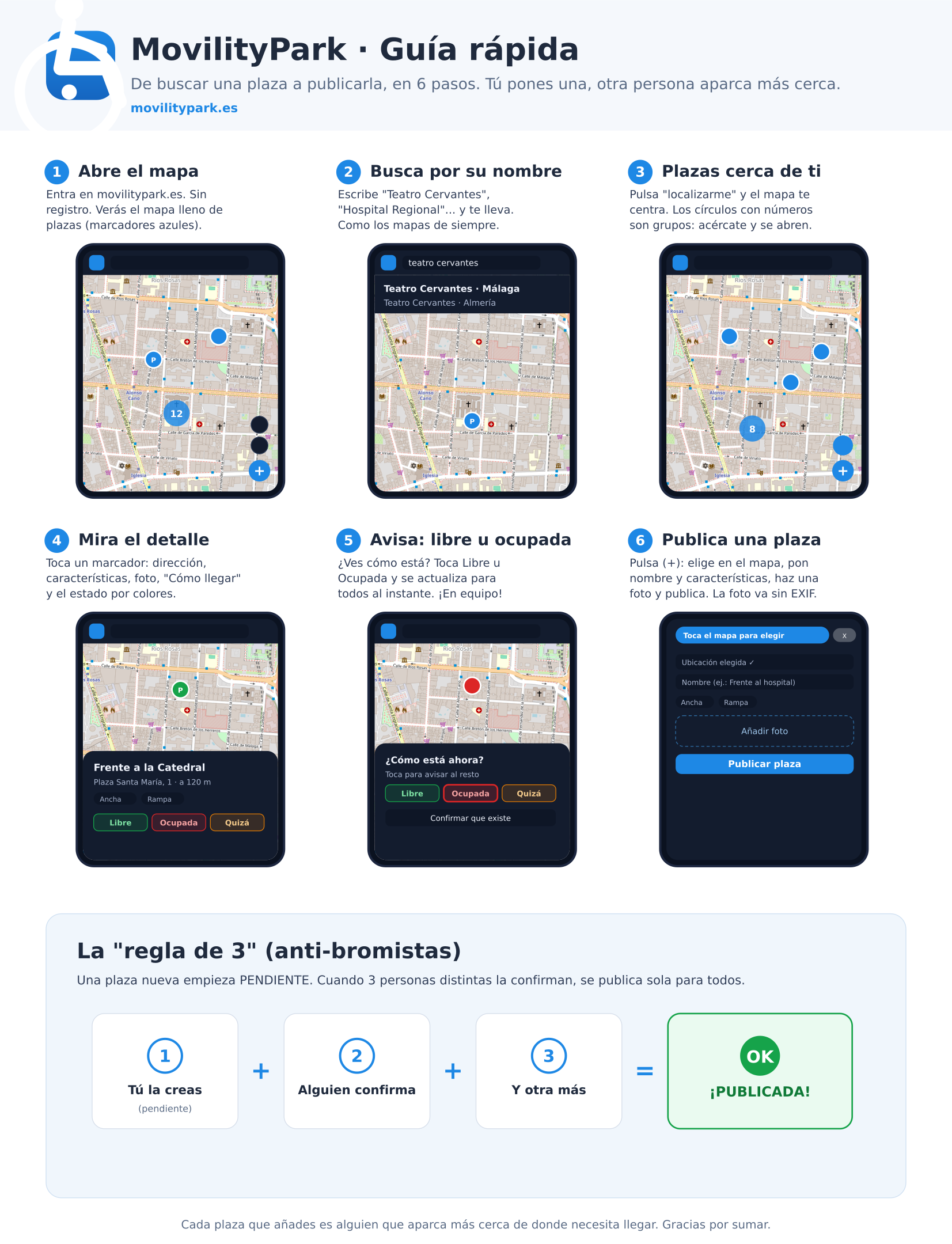
1 Open the map
Go to movilitypark.es on your phone. That's it — you're in! No sign-up, no personal data, nothing.
You'll see a map dotted with blue markers ♿ (the accessible spaces) and, bottom right, the action buttons.
2 Search for a place by name
Don't know the address? No problem. Type "Teatro Cervantes", "Regional Hospital", "Main Square"… and the search whisks you straight there.
Search by place name, not just by street — just like your everyday map apps.
3 Find spaces near you
Tap 📍 (locate me) and the map centres on you. Every blue ♿ is a space. Circles with numbers are groups of spaces: pinch-zoom in and they open up.
Prefer a list? The 📋 button shows the spaces sorted by distance.
4 Check the details
Tap a marker and its card opens: address, distance, features (ramp, extra-wide, covered, charger…), a photo (tap it to see it full-size) and a "Directions" button.
The colours tell the story at a glance: 🟢 free · 🔴 taken · 🟡 maybe free · ⚪ no data.
5 Report it free or taken
Walking past and can see how it looks? Tap 🟢 Free or 🔴 Taken and it updates for everyone, instantly. Now that's teamwork. 🙌
The info "expires" on its own over time, so nobody ends up trusting stale data.
6 Add a brand-new space ✨
Know a space that isn't on the map yet? Add it! Tap the big ➕ button and:
📌 Pick the location by tapping the map (or use your GPS) → ✍️ add a name and features → 📷 take a photo → hit Publish.
The "rule of 3" (our anti-prankster magic)
So nobody can invent fake spaces, a new space starts out as pending. Once 3 different people confirm it…
…the space publishes itself and everyone can see it. Three heads are more trustworthy than one. 😉
🎁 And there's more…
In your language
Español, English and Français. Switch it in Profile → Language.
Dark mode
Easy on the eyes, day and night. Also in your profile.
Driver mode
Mark a space as taken or freed based only on your GPS.
No signal? No problem
Once installed, the map and your spaces keep working offline.
Every space you add means someone parks closer to where they need to be. Thanks for pitching in. 💙